
Pinellas County Wanted Records
Start with the Pinellas County Sheriff's Office warrant page. It is not a full most wanted board. PCSO keeps no fixed gallery, no set person count, no update schedule, and no standard listing fields. The page instead points the public to the Florida Department of Law Enforcement Wanted Persons database. That statewide tool is fed by reporting agencies. It is not a handpicked roster of everyone wanted in Pinellas County.
The Sheriff also cautions that the state search misses some local matters. Certain Pinellas issues, like parking-ticket warrants, may not appear. So a missing name does not rule out a warrant. Nor does a displayed name guarantee one is still active. Confirm any result with the agency shown, PCSO, or the Pinellas County Clerk before relying on it.
The official PCSO page below shows how local guidance hands off to the state search. It carries no rehosted suspect photos. View the PCSO warrants guidance at its source.
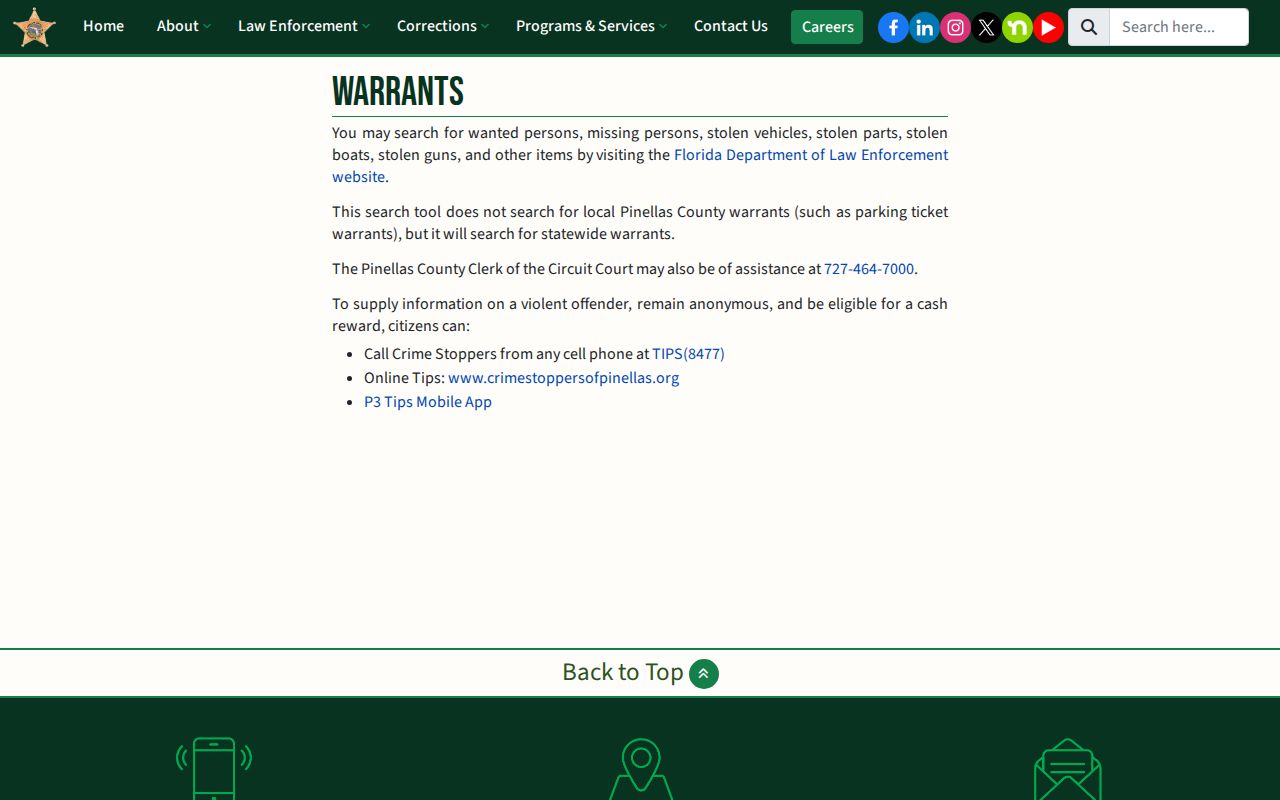
Pinellas County points visitors to two different resources. The county guidance page explains where wanted records live. The actual lookup happens through a statewide database instead.
FDLE Wanted Search Fields
The FDLE Wanted Persons search takes several identity fields. You need at least two letters of a last name or an exact nickname. Adding a first name, birth detail, sex, or race helps cut down false matches. Results may note whether an image exists, and detail pages can hold more warrant and agency information. Photos stay on the official FDLE record.
| Field | How FDLE uses it |
|---|---|
| Last name or nickname | Enter at least two last-name characters, or use an exact nickname. |
| First and middle name | Use them to narrow people who share a surname. |
| Birth date or age | Helps distinguish records with similar names. |
| Race and sex | Optional filters that may refine a broad result set. |
| Result identity | Name, birth date, race, sex, reporting agency, and an image indicator may appear. |
| Detail record | May include aliases, offense, agency case number, warrant date and number, physical traits, marks, occupation, and last-known address. |
Open the FDLE Wanted Persons search form. This is the official statewide interface, and PCSO references it for wanted-person lookups across Florida.
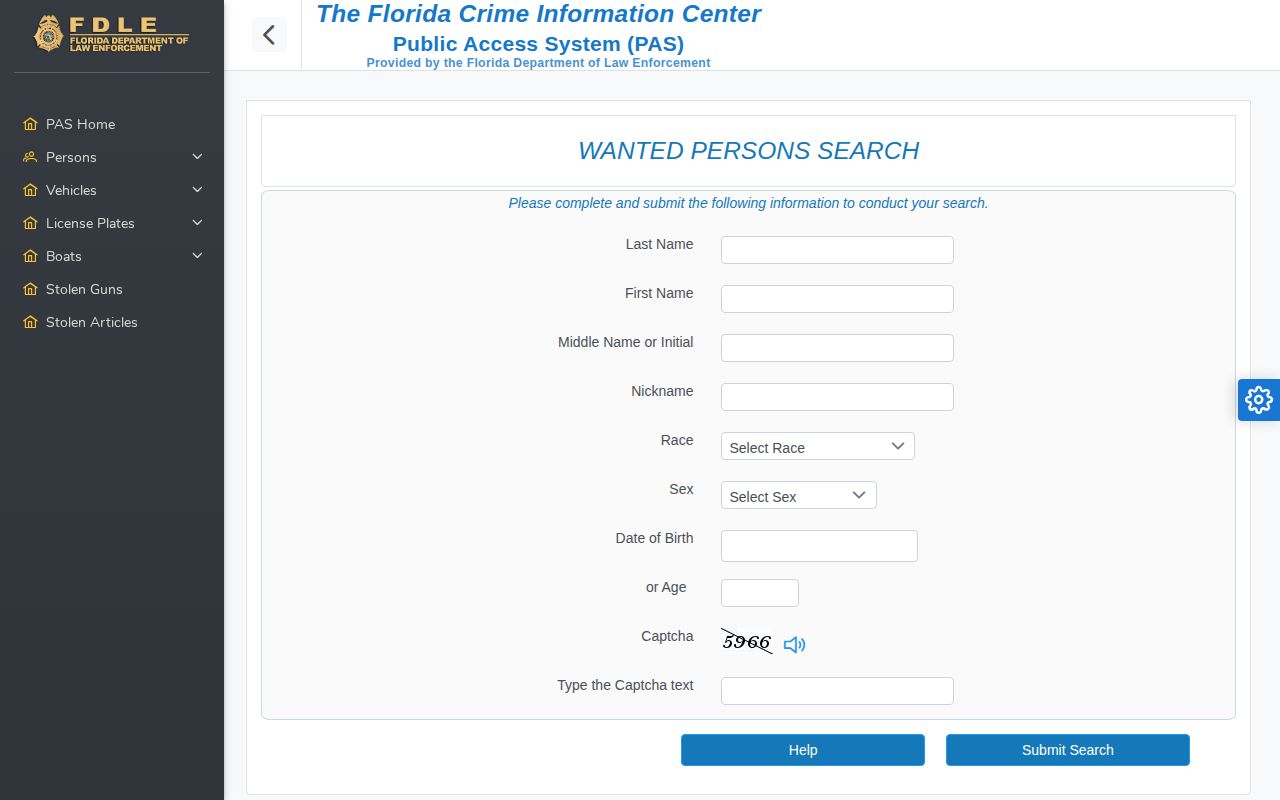
Enter enough identifiers. This helps you avoid mixing up two people who share a name. Found a possible match? Confirm it with the reporting agency before you act on it.
Search Pinellas County Wanted Names
Treat the state database as a lead, not final proof. FDLE says its wanted data gets Florida Crime Information Center updates every 24 hours. Entries can still be incomplete or no longer active. That warning holds even when a result shows a photograph, offense, or warrant number.
- Read the PCSO warrant guidance so the limits of local and statewide coverage are clear.
- Open FDLE Wanted Persons and search with a last name or exact nickname. Add other known identity fields.
- Compare the full name, birth details, physical descriptors, and reporting agency. Do not rely on a photo alone.
- Record the agency case or warrant number when the detail page provides one.
- Contact the reporting agency to ask whether the matter remains active. Use the Clerk for a related Pinellas court case.
Safety first: never approach, confront, follow, or try to detain anyone listed as wanted. If there is an immediate threat, call 911. For anything else, use the official tip channels.
Once a person has been arrested and booked into the county jail, the Pinellas County booking and roster search is the separate place to check custody.
Check a Pinellas County Warrant
Searching for a named person differs from browsing wanted notices. PCSO does not fully confirm every local warrant online. FDLE leaves gaps on purely local matters. The Pinellas Clerk Court Records Public View may show a related criminal or traffic case, its docket events, and later resolution. Name searches need a last and first name. A middle name and date of birth help narrow the field.
- Search FDLE for a statewide wanted record and note the reporting agency shown.
- Search the Clerk by name, case number, or citation when the matter may be tied to a Pinellas court case.
- Call the Clerk at 727-464-7000 for guidance when the online record is unclear or the local matter may not appear in FDLE.
- Ask the issuing or reporting agency to verify whether the warrant remains active.
- If the warrant may concern you, speak with a lawyer or the court about a lawful resolution. Do not use web results to avoid service.
A court docket can show filings, hearings, amended charges, pleas, adjudication, a sentence, or closure. Read each event in context. Juvenile cases and records involving protected victims are not generally available in the public online view. Older Clerk records may exist only on paper or microfilm.
Pinellas Warrant Record Differences
The official sources divide by function rather than offering a single perfect warrant list. Comparing those functions beats guessing at a legal label. The source has not confirmed any label. The table below shows what each Pinellas County warrant channel can and cannot establish.
| Record channel | Best use | Key limit |
|---|---|---|
| PCSO warrants guidance | Local instructions and routing to FDLE or the Clerk | Not a complete local wanted gallery or warrant roster |
| FDLE Wanted Persons | Statewide wanted records reported through Florida systems | May omit local matters and may not reflect a later change |
| Clerk Court Records Public View | Related case filings, docket history, and disposition | A court file is not live agency confirmation of warrant status |
| Reporting agency | Verification using the agency and case details from a result | Contact the agency named in the record, not an unrelated office |
Prosecutors may amend or decline charges, and courts may dismiss a case, withhold adjudication, acquit, or impose a sentence. The Clerk record is the path to the final Pinellas court outcome.
Report Pinellas County Wanted Tips
Crime Stoppers accepts anonymous tips about violent offenders. PCSO links the official route. A qualifying anonymous tip may earn a cash reward. Eligibility is set by the program, so never assume one. From a safe place, share facts such as location, time, direction of travel, or vehicle description.
Crime Stoppers Tip Options
Mobile: **TIPS (8477)
Online: use the Crime Stoppers link on the PCSO warrants page
App: P3 Tips
Emergency: 911
P3 Tips has one job. It passes a lead to the right people. It is not a jail roster. It will not tell you who is in custody. If you spot someone on a wanted list, resist posting their location online. Do not round up friends for a search either. Leave the verifying to the professionals. Send what you know through the tip line, and trained officers will take it from there.
Pinellas Wanted Apps and Alerts
Pinellas County residents have several alert tools at hand. Each one does something different. The FDLE Mobile App handles statewide wanted-person searches and alerts. P3 Tips is for reporting crime leads. VINE notifies victims about custody changes. The Sixth Circuit notes that Pinellas County Jail enrolls victims automatically whenever a suspect is booked or released. PCSO Active Calls, meanwhile, displays current incident types and address details. Not one of these offers a public PCSO mugshot roster.
- FDLE Mobile App
- State wanted-person and alert access, subject to the same need for agency verification.
- P3 Tips
- Anonymous tip submission, not warrant confirmation.
- VINE
- Booking and release notices for victims, not a source of wanted photographs.
- PCSO Active Calls
- Incident activity without named-person booking proof or mugshots.
Treat app-store listings with caution. Just because an app mentions Pinellas County does not make it official, and no verified PCSO inmate-search app exists. Need custody details? Use PCSO Arrest Inquiry. Looking for statewide wanted data? Go to FDLE. For a final court result, the Clerk is the source.
Resolve a Pinellas County Warrant
Worried a warrant carries your name? Do not test the database. Do not confront officers or dodge service. Those moves backfire. A lawyer can look over the facts, reach out to the right court or agency, and lay out the lawful next step. The Clerk will help you find the related case. The office cannot give legal advice, though. Criminal Court Records sits at the Pinellas County Justice Center, 14250 49th Street North, Clearwater, FL 33762. The main case-assistance number is 727-464-7000.
Wanted records shift over time. Charges get altered, prosecutors make filing decisions, and judges resolve cases. So hold onto the case and warrant identifiers. Check back with the reporting agency. Follow the court docket for anything new. Someone listed by mistake, or mixed up with a similarly named person, should use the same official route to fix the record.
Official verification protects everyone. It stops a stale web result from being mistaken for a live order. It also keeps a court outcome separate from a jail record. When accuracy matters, the source agency is the only real answer.